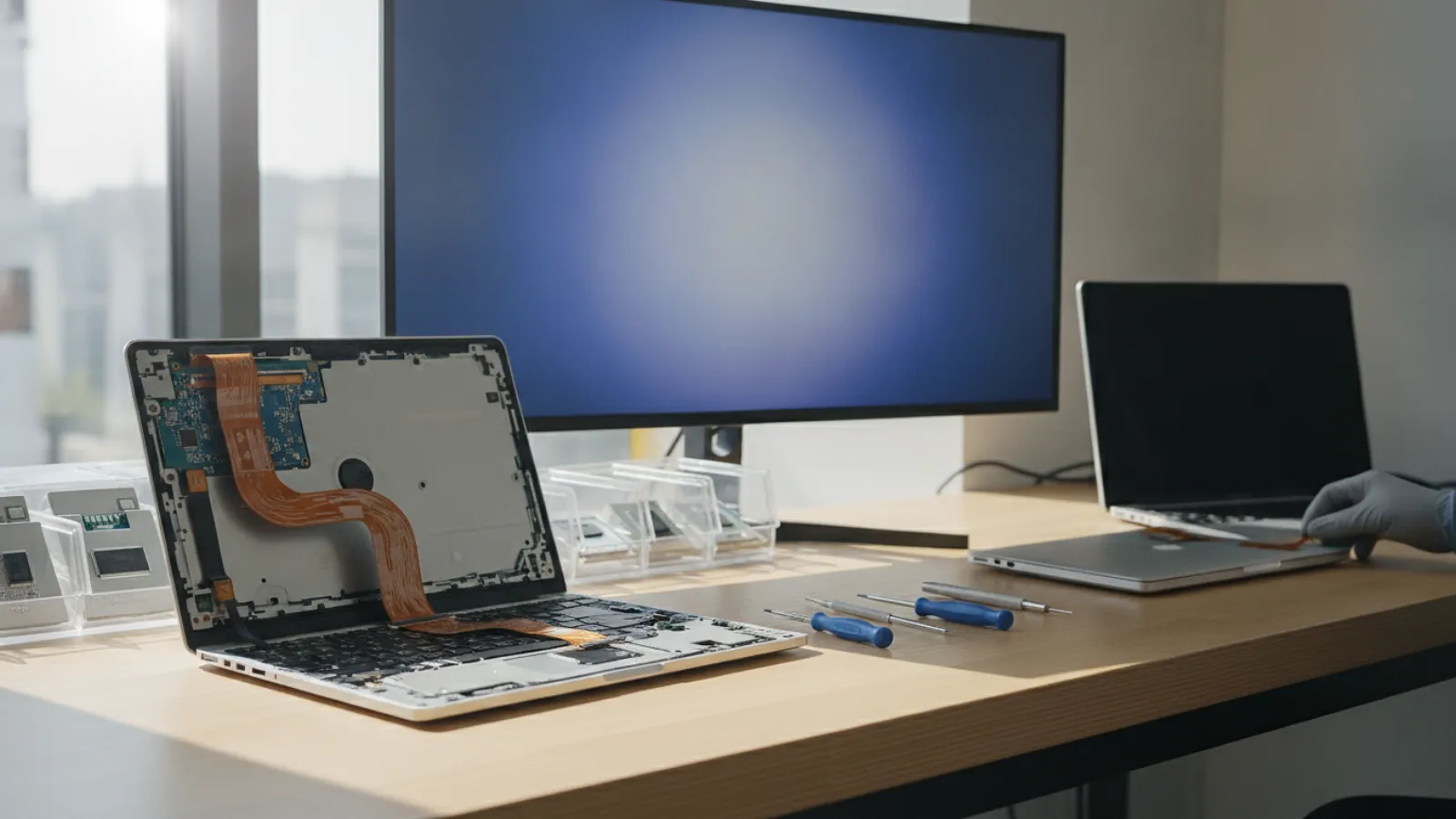
Replacing a laptop keyboard yourself usually costs USD 20 to 80 for the part, while a repair shop typically charges about USD 80 to 250 including labour (roughly GBP 60 to 195, CAD 110 to 345, AUD 120 to 375). MacBooks and some thin laptops cost more because the keyboard is built into the top case.
Key takeaways
- On many mainstream Windows laptops, the keyboard is a modular part and a confident DIY repair is realistic.
- On MacBooks and many ultrabooks, the keyboard is riveted or glued into the top case, so the fix is a larger and more expensive job.
- Prices here are typical ranges and estimates. They vary by shop, model and country.
- A cheap external keyboard (about USD 20 to 60) is a legitimate stopgap, or even a permanent fix, for a laptop that otherwise works well.
- If liquid caused the problem, the keyboard may only be the visible damage. Power down and get the board checked.
Why laptop keyboards fail
Laptop keyboards are used constantly, and they fail for a handful of common reasons:
- Liquid spills. Coffee, soft drinks and water leave sticky residue and corrosion under the keys. Even a small spill can make keys register twice or not at all.
- Debris and crumbs. Dust and food particles can jam keys, especially on low-travel designs.
- Wear. Keys can lose their springiness or the printed legends can wear off after years of heavy use.
- A loose or damaged ribbon cable. A flat cable between keyboard and board can work loose after a drop or a repair.
- Ghost typing. Keys that type by themselves are often caused by moisture, a faulty keyboard membrane or a failing battery that has swollen and pushed against the keyboard.
Before paying for anything, try a few free checks. Restart the laptop, update the keyboard driver, and test the keys in the BIOS or setup screen or in a different operating system environment. If the keys work there, the cause is software, and a part replacement will not help. If a key does not respond in any environment, the hardware is at fault.
Laptop keyboard replacement cost: DIY vs repair shop
Doing it yourself
Many mainstream Windows laptops from the big manufacturers have a screw-in or clip-in keyboard that lifts out once you release a few tabs or remove a handful of screws. A replacement keyboard usually costs USD 20 to 80, depending on the model and whether it has backlighting. You need a small screwdriver set, a plastic opening tool and about an hour. On some models, you must remove the bottom cover and the whole palm rest to reach the keyboard, which is far harder.
The risks are real. A poorly seated ribbon cable can leave the keyboard dead. A snapped plastic clip can leave the case loose. And buying the wrong layout (US, UK, Canadian bilingual or Australian) is common because the physical shape and legends differ. Always match the exact part number or model number printed on your laptop, and check the layout carefully.
Using a repair shop
A shop will usually source the part, fit it and test it. Typical charges are the part price plus labour of about half an hour to one hour for modular keyboards. For laptops where the keyboard sits in the top case, the job takes longer and costs more.
Typical price ranges by keyboard type
Typical ranges, estimates only. Prices vary by shop and model.
| Keyboard type and route | USD | GBP | CAD | AUD |
|---|---|---|---|---|
| Replacement part only, standard Windows laptop (DIY) | 20-80 | 15-60 | 28-110 | 30-120 |
| Standard laptop keyboard, shop fit (part and labour) | 80-200 | 60-155 | 110-275 | 120-300 |
| Backlit or premium business laptop, shop fit | 120-280 | 95-220 | 165-385 | 180-420 |
| Top-case replacement (keyboard built into palm rest), shop fit | 180-450 | 140-350 | 250-620 | 270-675 |
| MacBook keyboard / top case replacement, shop or service provider | 300-700+ | 235-545+ | 415-965+ | 450-1,050+ |
| External USB or Bluetooth keyboard (workaround) | 20-60 | 15-47 | 28-83 | 30-90 |
MacBook keyboards are a special case
On most MacBooks, the keyboard is part of a single top case assembly that also includes the palm rest and, depending on the model, the trackpad and battery. Replacing the keyboard therefore often means replacing a large assembly, and a considerable amount of labour is involved. This is the main reason MacBook keyboard repairs sit at the top of the price table.
MacBooks from roughly 2015 to 2019 used a low-travel design known as the butterfly keyboard, which was widely reported to be sensitive to dust and failures. Apple ran a keyboard service program for affected models, but such programs have time limits (typically a few years after the original sale), so for most devices today the program is likely to have ended. Check Apple's current support pages for your exact model and region before assuming anything.
For a wider breakdown of what Apple laptop repairs typically cost, read our guide to MacBook repair costs in Canada in 2026, or see our Mac repair service in Montréal if you are local.
Is DIY keyboard replacement worth it?
A DIY replacement makes sense when all of these are true:
- Your laptop uses a modular keyboard that lifts out from the top, with a few screws or clips.
- You can find the exact replacement part for your model and keyboard layout.
- You are comfortable handling ribbon cables, which are delicate.
- The laptop is out of warranty. Opening a laptop under warranty may void it, so contact the maker or seller first.
It does not make sense when the keyboard is fixed into the top case, the laptop is a sealed ultrabook, or there has been a liquid spill. In those cases, a technician can inspect the board for corrosion while the laptop is open, which is valuable on its own.
Basic steps for a modular keyboard
- Power off, unplug the charger and, if the battery is removable, take it out. If it is not removable, disconnect the internal battery connector as the first step after opening.
- Look up a service manual or a teardown guide for your exact model number.
- Release the retaining screws or clips and gently lift the keyboard.
- Unlock the ribbon cable connector by flipping the small latch, then slide the cable out.
- Insert the new cable fully, close the latch, and test the keyboard before you reassemble the laptop.
- Reassemble, reconnect power and check every key, including function keys and backlight.
Cheaper alternatives to a full replacement
Replace a single key or keycap
If only one key is broken, a replacement keycap or hinge is sometimes available for a few dollars. This works well on keyboards with scissor-style keys, but not every model supports it.
Clean the keyboard
Sticky or unresponsive keys from light spills can sometimes be cleaned with compressed air and isopropyl alcohol applied carefully to a cotton swab. Do not soak the keyboard. If the spill was large or sugary, stop and get it checked.
Use an external keyboard
For a laptop that sits on a desk most of the day, an external keyboard is the cheapest and quickest fix. It also helps if you need to log in to recover data before a repair.
Remap a stuck key
If one key is dead, operating system tools or small utilities can remap another seldom-used key to the broken one. It is not elegant, but it can buy time.
Repair or replace: a decision rule
Use this practical rule:
- If the repair costs under about 25% of a comparable replacement laptop, repair, especially if you like the machine.
- If it costs between 25% and 50%, repair only if the rest of the laptop is in good shape: battery, screen, storage and performance.
- If it costs more than about 50%, an external keyboard or a replacement laptop is usually the better value.
For a quick sense of how this fits with other common repair costs, see how much computer repair costs in Canada. The proportions are broadly similar elsewhere, even if the price levels differ.
Liquid spills: do not ignore the rest of the laptop
A spill is the one situation where a keyboard is rarely the only problem. Liquid can run through the keyboard onto the motherboard, the trackpad connector and the battery. Switch the laptop off straight away, unplug the charger, and do not turn it on again to test. A technician should open it and inspect for corrosion. Our water-damaged laptop guide explains how to protect your data in this situation.
Rights and warranty by country
This is general information, not legal advice. Check your local consumer agency for details that apply to you.
- United Kingdom: The Consumer Rights Act 2015 requires services to be performed with reasonable care and skill. If the keyboard repair fails because of poor workmanship, you may be entitled to a repeat of the work or a price reduction.
- Australia: Australian Consumer Law consumer guarantees cover services performed with due care and skill, and goods that are of acceptable quality. These guarantees apply in addition to any manufacturer warranty.
- United States: Right-to-repair laws are growing in several states and at the manufacturer level, which can make parts and manuals easier to get. Coverage varies by state and by product. Using a third-party repair does not automatically void a US warranty, but a damaging repair might not be covered, so check your terms.
- Canada: Consumer protection is mostly provincial. Many provinces require clear estimates and prohibit misleading statements. Ask for written pricing and warranty terms before the work begins.
When to call a professional
Book a technician if the keyboard is built into the top case, if the laptop is a MacBook or sealed ultrabook, if there was a liquid spill, or if the laptop is under warranty. Also call one if you replaced the keyboard and it still misbehaves, because the fault may be on the board.
If you are not sure whether the problem is hardware or software, a remote session can help rule out drivers, settings and stuck modifier keys before you spend any money. Our teams support customers across the United States and beyond for exactly this type of triage.
Not sure what is wrong? Get a diagnosis first.
Our certified tech can connect remotely, check your software, drivers and backups, and tell you honestly whether the problem needs a hands-on repair.
Keys not working and unsure what to do? Contact IT Cares for a clear, honest view on whether your keyboard needs replacing or whether a software fix or an external keyboard will do the job.
Frequently asked questions
How much does it cost to replace a laptop keyboard?
Typically USD 80 to 250 at a repair shop for standard laptops, and USD 20 to 80 for the part if you do it yourself. MacBooks and top-case designs can run USD 300 to 700 or more. These are estimates and vary.
Can I replace just one key on my laptop?
Sometimes. Many scissor-style keys can be replaced individually with a keycap and hinge kit, but not all models allow it, and thin low-travel keyboards often do not.
Why does my laptop keyboard type by itself?
Common causes include moisture or residue under the keys, a damaged keyboard membrane, a driver problem or, on some laptops, a swollen battery pressing on the keyboard. A swollen battery is a safety risk, so stop using the laptop and have it checked.
Is it worth replacing a MacBook keyboard?
It depends on the model and age. If the quote for a top case replacement is a large share of the price of a newer or refurbished MacBook, replacement may be better. Check any current manufacturer program first.
Can a keyboard problem be a software issue?
Yes. If the keys fail in some apps but work in the BIOS or on a boot menu, the cause is probably software or driver related. Test in a safe environment before ordering a part.