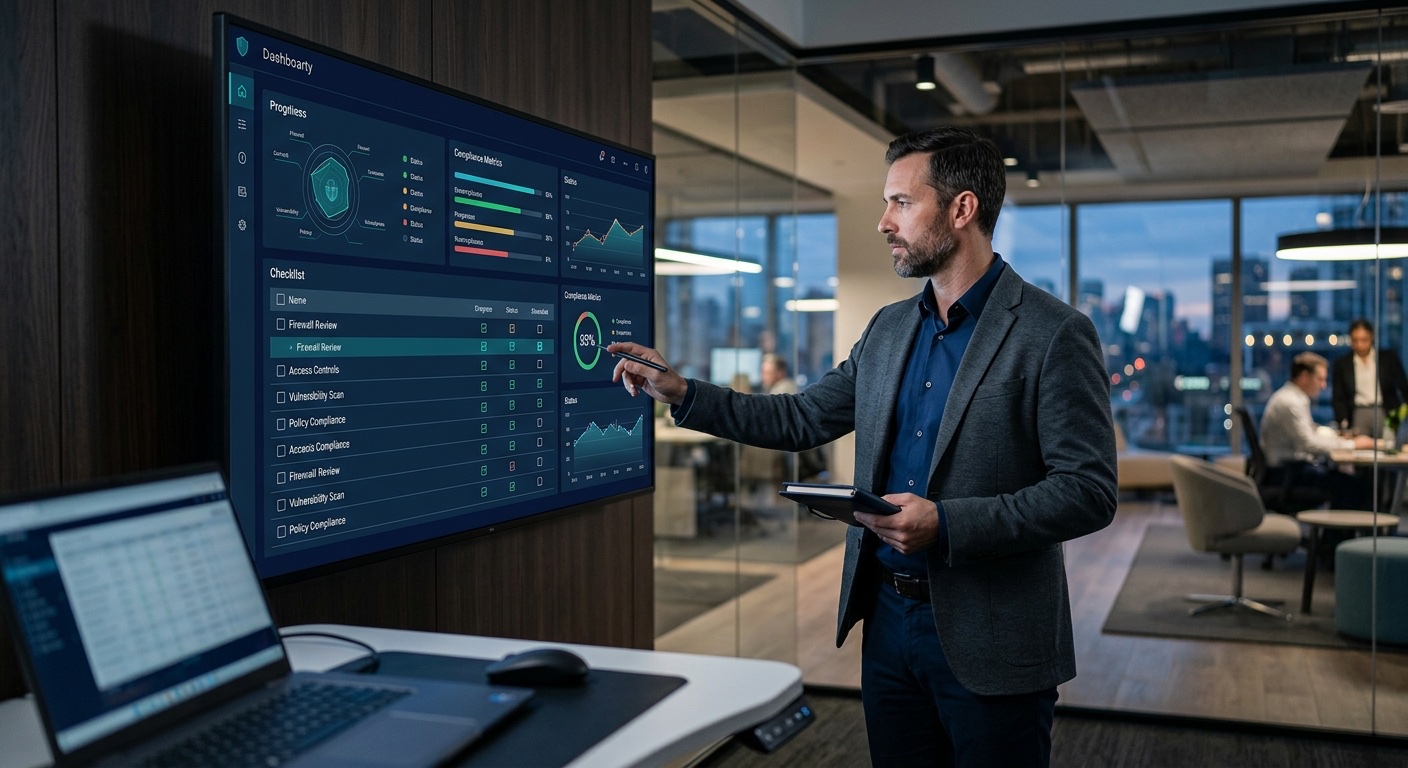
Cyber insurance was built and priced around a world where business systems mostly lived behind an office firewall — remote and hybrid work quietly moved a huge share of that risk into home networks, personal devices, and consumer software the insurer never underwrote for in the first place. Policies and underwriting questionnaires have been playing catch-up ever since, and the gap between "what a policy assumed about your work environment" and "how your team actually works" is exactly where claim disputes and coverage exclusions tend to surface.
This isn't a reason to panic, and it isn't a reason to assume you're uninsurable or unprotected. It is a reason to understand specifically which remote-work realities insurers now scrutinize, which common exclusion patterns catch businesses off guard, and what concrete, affordable steps close the gap — which is exactly what this guide covers.
It's worth being upfront about scope, too: this guide focuses specifically on the remote-work-related dimension of cyber insurance, not the full policy landscape. If you're starting from scratch on understanding what cyber insurance covers at all — first-party costs like business interruption and forensic investigation versus third-party liability, deductibles, sub-limits, and how Canadian insurers typically structure coverage — our broader cyber insurance guide for small business is the better starting point, with this article picking up specifically where remote and hybrid work introduces its own distinct considerations on top of that foundation.
Who wrote this guide
This article was written and reviewed by IT Cares certified technicians who work directly with Canadian small and mid-sized businesses on the IT security side of cyber insurance readiness — MFA rollouts, VPN setup, BYOD policy, endpoint protection. IT Cares is an IT company, not an insurance broker, and nothing here is insurance or legal advice; for coverage interpretation, always consult your broker or the policy wording directly. What we can offer is an accurate picture of the security controls that affect both your real risk and your insurer's view of it.
How Remote Work Expanded the Attack Surface Insurers Underwrite Against
"Attack surface" is insurance-and-security shorthand for everything an attacker could realistically target to get into your systems. For decades, the practical attack surface of a typical small business was reasonably contained: office computers, an office network behind a business firewall, maybe a handful of laptops that occasionally left the building. Insurers built underwriting models and policy language around roughly that picture.
Remote and hybrid work changed the shape of that surface substantially, in ways that are easy to underestimate because nothing about the change feels dramatic day to day:
- Home Wi-Fi routers are, on average, far less hardened than a business-grade firewall. Many still run factory-default admin credentials, rarely receive firmware updates, and were never configured with a business's security posture in mind — they were configured, at best, once, by whoever set up the household internet.
- Devices mixing work and personal use increase exposure simply through volume: more browsing, more app installs, more email accounts, more opportunities for a phishing link or a malicious download to land on a device that also happens to hold access to business systems.
- Shared family devices — a household laptop used by both a remote employee and their teenager for homework, for instance — introduce risk the business has essentially no visibility into or control over.
- Informal cloud storage and messaging tools often fill genuine gaps (needing to send a large file quickly, needing to collaborate outside normal business hours) but move data outside sanctioned, monitored systems in the process.
- Weaker physical security of a home office compared to a locked, monitored business premises means a lost or stolen device carries somewhat higher risk of falling into the wrong hands unnoticed for longer.
None of this means remote work is inherently reckless — it means the risk model insurers use has to account for a genuinely different environment than the one their older underwriting assumptions were built around, and it explains why underwriting questionnaires have expanded so much in this specific direction over the past several years.
It's also worth being specific about why each of these factors compounds the others rather than existing in isolation. A weak home router isn't dangerous purely on its own — it's dangerous because it sits between an attacker and a device that also holds an active session into business email, file storage, and possibly financial systems. A personal device mixing work and personal use isn't risky purely because of the mixing — it's risky because a phishing email opened during personal browsing can compromise the same device an employee uses minutes later to approve a wire transfer or access a client record. Insurers who have paid out real claims have seen this compounding effect play out repeatedly, which is exactly why so much current underwriting language focuses on the endpoints and access paths themselves rather than only on the traditional office network perimeter.
📊 IT Cares field note: A recurring pattern we see: a business went remote almost overnight a few years back, kept operating perfectly fine, and never circled back to formally update its security posture or insurance conversation around that shift. The systems work, the team is productive — but nobody ever asked "does our cyber policy actually reflect how we work now?" until a renewal questionnaire or, worse, a claim forced the question.
Hybrid Work: A Middle Ground With Its Own Distinct Risks
Fully remote and fully in-office are the two easiest scenarios to reason about; hybrid work — where the same employee splits time between a home office and a business location, often carrying the same laptop between both — introduces a distinct wrinkle that's easy to overlook. A hybrid employee's device routinely crosses between two very different security environments in the same week, sometimes the same day: a business network with proper firewalls, monitoring, and segmentation, and a home network with none of those protections. If that device picks up a compromise while connected at home, it can carry that compromise directly into the office network on the next commute, effectively bypassing the office's perimeter defences entirely since the device is, by that point, already "inside."
This is one of the more counterintuitive risk patterns in modern cyber insurance underwriting: a hybrid workforce isn't automatically safer than a fully remote one just because employees spend some time in a protected office environment. In some respects, the constant crossing between environments creates a harder detection problem than either extreme, since security tooling has to account for a device's risk profile changing based on where it connected most recently rather than assuming a stable, consistent environment. Endpoint protection that travels with the device — rather than protection tied to the network it happens to be on — matters more, not less, in a hybrid model, and it's an area worth discussing directly with whoever manages your IT if your team splits time between locations.
Underwriting Changes: What Insurers Actually Ask About Remote Work Today
Cyber insurance underwriting questionnaires have changed substantially over the past several renewal cycles, and the remote-work-specific questions that now appear are a direct reflection of where claims have actually originated. It's worth understanding the pattern of what's being asked, because the questions themselves are a fairly reliable guide to what controls matter most in an insurer's eyes.
- "Is multi-factor authentication required for all remote access to your network and email?" — increasingly a yes/no gating question rather than one line among many; a "no" answer can affect whether coverage is offered at all, not just its price.
- "Do you have a documented remote access policy?" — insurers want to see that remote work security isn't purely informal or dependent on individual employee judgment.
- "Are personal devices permitted to access business systems, and if so, under what policy?" — a direct probe for BYOD exposure and whether it's governed or ad hoc.
- "How is remote access to your network secured (VPN, zero trust network access, etc.)?" — this question is exactly where the personal-VPN-vs-business-VPN distinction becomes concretely relevant to your application answers, not just a technical nuance.
- "Do you have endpoint detection and response (EDR) or equivalent on devices accessing your network remotely?" — legacy antivirus alone is increasingly viewed as insufficient for this question given how much of today's threat activity specifically evades signature-based detection.
Answering these questions accurately — and, more importantly, having the underlying controls actually be true, not just aspirationally true — is where the real work happens. An application answered optimistically ("yes, we require MFA") that doesn't match reality ("MFA is available but half the team never turned it on") is arguably worse than answering honestly in the first place, since it sets up a misrepresentation problem that surfaces at exactly the worst possible moment: during a claim.
Want your remote access setup checked before renewal season?
Our certified technicians review MFA, VPN, and BYOD controls and give you a right-sized action plan — from $119.99.
Personal VPN vs Business VPN: A Distinction That Actually Matters
One of the most common and most misunderstood gaps involves VPN usage. Many employees, especially those already privacy-conscious, use a personal VPN app — the kind marketed for streaming access, general privacy, or public Wi-Fi protection — to connect to business systems remotely, assuming this satisfies "secure remote access" the same way a proper business VPN would. It usually doesn't, and the difference matters more than it might seem.
A consumer VPN app typically routes and encrypts general internet traffic through a third-party provider's servers, with no visibility for the business into who connected, when, from where, or to what. It has no integration with company-managed multi-factor authentication, no centralized policy enforcement, and no logging the business can review during an incident investigation. A business VPN, by contrast, is specifically configured to grant access to business systems, integrates with MFA and identity management, logs connection activity, and can be centrally managed and revoked — for instance, immediately cutting off access for a departing employee.
From an insurance standpoint, if a policy requires or represents that the business maintains "secure remote access," an insurer investigating a claim may reasonably ask what that meant in practice. "Employees used whatever personal VPN app they already had installed" is a materially weaker answer than "the business requires connection through a managed VPN with MFA enforced," and that difference can become the exact fault line a disputed claim turns on.
Common Cyber Insurance Exclusion Patterns Tied to Remote Work
Policy wording varies significantly by insurer, and nothing below should be read as a direct quote from any specific carrier's policy — but several general exclusion and coverage-condition patterns show up repeatedly across the industry and are worth understanding in principle before you're relying on a policy during an actual incident. It's worth stressing that most disputes over these patterns aren't really about whether coverage exists in principle; they're about whether the specific facts of an incident line up with conditions the business may not have realized applied to it until an adjuster started asking pointed questions about how, exactly, a particular employee connected to a particular system on a particular day.
| Remote work risk factor | Why insurers care | What to do about it |
|---|---|---|
| BYOD (personal devices) | Business has less control/visibility over device security posture | Written BYOD policy with minimum requirements: screen lock, encryption, updated OS, endpoint protection |
| Personal VPN vs business VPN | Consumer VPNs lack MFA integration, logging, and centralized control | Mandate a business-grade VPN for all access to business systems |
| Home network security | Home routers are rarely hardened or patched compared to office firewalls | Provide employees baseline guidance: change default admin passwords, keep firmware updated |
| Shadow IT / unapproved cloud tools | Data moved outside sanctioned systems is harder to account for during an incident | Identify informal tool usage and provide approved, sanctioned alternatives |
| Lack of MFA on remote access | One of the most common factors in real-world remote-access breaches and claim disputes | Enforce MFA on every remote login, not just make it available |
| Physical device security | Home offices generally have weaker physical security than a locked business premises | Require device encryption so a lost/stolen device doesn't expose data even if physically compromised |
The specific exclusion and condition language patterns worth understanding include:
- "Reasonable security measures" clauses. Many policies condition coverage, in part, on the business having maintained reasonable security measures. This is deliberately somewhat general language, which means an insurer investigating a claim has room to argue that a specific remote-work gap — no MFA, an unpatched home router, an unencrypted personal laptop — fell short of that standard.
- Specific security requirement conditions. Some policies go further and explicitly require specific controls (commonly MFA on remote access, and sometimes on email specifically) as a condition of coverage, sometimes tied directly to representations made on the application. If a business represented MFA was enabled and it wasn't consistently enforced, this is a direct, hard-edged dispute point, not a matter of interpretation.
- "Controlled environment" language. Some older or more traditionally worded policies use language historically assumed to mean a business-controlled office environment for certain conditions or sub-limits. Remote work — home offices, personal devices — sits in genuine ambiguity relative to this kind of legacy wording, and that ambiguity is exactly the kind of thing that gets litigated or negotiated during a real claim rather than resolved cleanly in advance.
- Betterment exclusions. Most cyber policies will pay to restore systems to their pre-incident state but exclude paying to upgrade or improve security beyond that state — meaning a business that suffers a breach partly because of weak remote-access controls generally can't expect the insurer to fund the fix for those underlying weaknesses as part of the claim.
- War and state-sponsored-actor exclusions. Increasingly relevant given rising nation-state cyber activity, many policies exclude incidents attributed to war or state-sponsored actors, which has become a genuinely contentious area industry-wide as attribution for sophisticated attacks becomes part of claims disputes.
- Unpatched known vulnerability exclusions. Some policies exclude incidents that exploit a vulnerability the business knew about (or reasonably should have known about) and failed to patch within a specified timeframe — directly relevant to remote endpoints that may not receive updates as consistently as centrally managed office equipment.
Closing Remote Work Insurance Gaps
Require MFA on all remote access
Multi-factor authentication on every remote login is close to a universal baseline expectation in current cyber insurance underwriting. If it's "available but optional" today, close that gap first — it's the single most common factor in both real breaches and disputed claims.
Mandate a business-grade VPN
Replace ad-hoc personal VPN apps used for business access with a proper business VPN offering access controls, logging, and MFA integration — and communicate clearly to staff why the switch matters, since many won't realize the distinction otherwise.
Establish a BYOD policy with minimum security requirements
Personal devices accessing business systems should meet baseline requirements — screen lock, encryption, an up-to-date operating system, and endpoint protection — documented in a short, plain-language written policy employees actually read.
Address home network security
Provide simple guidance for employees regularly accessing business systems remotely: change the router's default admin password, keep firmware updated, and use a separate guest network for non-work devices in the household.
Read your policy's remote-work and "controlled environment" exclusions carefully
Before renewing or purchasing a policy, have someone — ideally with your broker's help — actually read the exclusions section for language tied to reasonable security measures, controlled environments, or specific technical requirements, and ask direct questions about how remote work is treated.
Document your remote access controls for your insurer
Keep dated records of MFA enforcement, VPN deployment, and BYOD policy rollout, so you can demonstrate compliance with policy requirements clearly and quickly if a claim is ever disputed.
Review shadow IT and unapproved cloud tool usage
Identify informal tools employees have adopted to fill genuine workflow gaps, and provide sanctioned, monitored alternatives rather than simply banning the workaround without addressing the underlying need.
Working through this list doesn't need to happen all at once, and it doesn't need a dedicated security team to execute — most small businesses can realistically close the first four or five items within a month using existing tools they already pay for (MFA, in particular, is almost always already included in a Microsoft 365 or Google Workspace subscription and simply needs to be turned on and enforced, not purchased separately). The remaining items, particularly the BYOD policy and the exclusions review, benefit from outside help to get right the first time, but none of them require an enterprise budget to complete properly.
A ☐ checklist to review before your next renewal or application:
- ☐ MFA enforced (not just enabled) on all remote access, including email
- ☐ Business VPN in place and used consistently, with personal VPN apps not used for business access
- ☐ Written BYOD policy covering encryption, screen lock, OS updates, and endpoint protection
- ☐ Baseline home network guidance provided to remote staff
- ☐ Endpoint protection deployed on all devices accessing business systems, company-owned or personal
- ☐ Shadow IT / unapproved cloud tools identified and addressed with sanctioned alternatives
- ☐ Policy exclusions section actually read, with questions asked about remote-work-specific language
- ☐ Underwriting questionnaire answers cross-checked against what's actually enforced, not just available
- ☐ Documented, dated records of remote access controls kept for insurer verification
- ☐ Process in place for immediately revoking remote access when an employee departs
- ☐ Device encryption enabled on all laptops/devices used remotely
- ☐ Regular patch/update cadence confirmed for remote endpoints, not just office equipment
Questions Worth Asking Your Broker Specifically About Remote Work
A broker relationship works best when the questions are specific rather than general. Beyond the standard "what does this policy cover," the following remote-work-specific questions tend to surface the gaps that matter most before you're relying on the answer during a real incident:
- "Does this policy define what counts as 'secure remote access,' and does a personal VPN app satisfy that definition?"
- "If an employee's personal, unmanaged device is the source of an incident, does that change how a claim is handled?"
- "Is there specific policy language about home network security, or is it covered under a general 'reasonable security measures' clause?"
- "What documentation would you want to see from us to support a claim involving a remote employee?"
- "Does our current MFA setup — enabled but not enforced for every account — meet the policy's requirements as written, or only as intended?"
Brokers who work regularly with cyber insurance tend to have a good practical sense of how a given insurer has handled remote-work-related claims in the past, even where the policy wording itself is ambiguous — and that institutional knowledge is often more useful in practice than the wording alone, since it reflects how the insurer actually behaves rather than how the document could theoretically be read.
Real-World-Style Canadian Case Studies
Case study: Montreal marketing agency, a partially denied claim
A 14-person Montreal marketing agency had cyber insurance with a $2 million limit and paid roughly $3,800 CAD annually in premiums. An employee's home network was compromised through a router with an unchanged default admin password, and the attacker pivoted to the employee's laptop, which was used to access the agency's project management and billing systems through a personal VPN app rather than the agency's actual (rarely enforced) business VPN. The attacker spent nearly three weeks quietly monitoring email traffic before attempting a fraudulent wire transfer request impersonating the agency's owner, which an alert bookkeeper caught before funds moved — but the monitoring period itself, plus the subsequent investigation and client notifications, generated real cost. When the claim was filed, the insurer's investigation found MFA had been "available" on the billing system but was not actually required for that employee's account, and that remote access hadn't consistently gone through the business VPN as the application had represented. The claim wasn't denied outright, but the insurer applied a reduced payout citing the security-measures condition, leaving the agency to cover roughly $22,000 CAD of the total $31,000 CAD incident cost out of pocket. The agency has since enforced MFA account-wide and disabled personal VPN access to business systems entirely, and reports the renewal conversation the following year was noticeably smoother once those controls were documented.
Case study: Toronto accounting firm, a premium reduction
A 22-person Toronto accounting firm renewing its cyber policy worked with an IT provider ahead of renewal to formally document MFA enforcement across all remote access, deploy a business VPN replacing informal personal VPN use, and roll out a written BYOD policy covering the roughly one-third of staff who used personal laptops during tax season crunch periods. The remediation cost approximately $6,200 CAD in IT services and licensing, spread over about six weeks of implementation ahead of the renewal date. At renewal, the improved, well-documented security posture — supported by a short written summary the IT provider prepared specifically for the broker conversation — contributed to a premium reduction of roughly 18%, saving the firm about $2,100 CAD annually going forward, meaning the one-time investment paid for itself within about three years purely on premium savings, before accounting for the much larger value of reduced actual breach risk during the firm's busiest and most sensitive season of the year.
Case study: Ottawa consulting firm, a BYOD incident
A small Ottawa consulting firm allowed staff to use personal laptops for client work with no written BYOD policy, largely because the firm had grown quickly from three to twelve people without ever formalizing IT policy along the way. An employee's personal laptop, shared with family members, was infected with malware through an unrelated download unrelated to work at all, and the malware later facilitated unauthorized access to a client project folder synced through a personal cloud storage account the employee had been using informally to move files between home and office because the firm's own file system felt clunky over a slow home connection. The resulting incident cost approximately $9,500 CAD in forensic investigation and client notification, plus an uncomfortable conversation with the affected client about how their project files had ended up on an unmanaged personal cloud account in the first place. While the claim was ultimately paid, the insurer flagged the absence of any BYOD or acceptable-use policy as a factor likely to affect terms at the next renewal. The firm has since implemented a written BYOD policy and moved file sharing entirely onto its sanctioned business platform, with a faster, better-configured sync client that removed the original workaround's appeal.
Budget: Cost of Closing These Gaps (CAD)
| Item | Typical cost range (CAD) |
|---|---|
| Business VPN licensing (per user, annual) | $50 – $150 / user / year |
| MFA rollout (often included in existing Microsoft 365 / Google Workspace plans) | $0 – $500 one-time setup effort |
| Endpoint protection for BYOD and remote devices (per device, annual) | $40 – $120 / device / year |
| Written BYOD policy development | $500 – $1,500 one-time |
| Full remote-access security review before renewal | $1,500 – $4,000 for a small business |
| Cost of a partially denied claim due to unaddressed gaps (illustrative, as above) | $15,000 – $30,000+ out of pocket |
The comparison speaks for itself: the full set of remote-work security improvements for a small business typically costs a few thousand dollars, against a realistic downside of tens of thousands in an inadequately covered claim — before even factoring in the premium reductions that often follow a documented security improvement. It's also worth noting that most of these costs aren't one-time in the sense of "pay once and forget it" — VPN licensing and endpoint protection are ongoing subscription costs that scale with headcount, which is actually a point in their favour from a budgeting standpoint: they're predictable, recurring line items rather than the unpredictable, potentially much larger cost of an inadequately covered incident landing at an unplanned moment.
Canadian Resources
- Canadian Centre for Cyber Security (cyber.gc.ca): The federal cybersecurity authority publishes baseline security control guidance directly relevant to remote access, VPN configuration, and MFA — useful reference points for what "reasonable security measures" tends to mean in practice, and a resource many insurers themselves point to when describing expected baseline controls.
- BDC — Business Development Bank of Canada (bdc.ca): Offers SMB cybersecurity and insurance-adjacent advisory support, including guidance on planning and financing security upgrades that improve both real security posture and insurability.
- ISED — Innovation, Science and Economic Development Canada (ised-isde.canada.ca): Publishes general SMB cybersecurity guidance that complements insurer-specific requirements and is a useful starting point for businesses building a remote work security policy from scratch.
None of these resources replace a conversation with your specific insurer or broker about your specific policy, but they're useful, credible references when building an internal business case for the security investments this guide recommends — particularly when explaining to ownership or partners why a few thousand dollars in VPN licensing and MFA rollout is worth prioritizing before the next renewal cycle rather than after an incident forces the question.
For the broader picture of what cyber insurance actually covers for a Canadian small business, see our cyber insurance guide for small business, our guide on lowering your premium through IT security, and our explainer on first-party vs third-party coverage, all of which connect directly to the remote-work considerations covered here.
Why This Matters a Little Differently in Canada
A few genuinely Canadian factors make the remote-work insurance picture slightly distinct from a generic "remote work risk" discussion. First, geographic dispersion: Canadian small businesses are more likely than average to have staff spread across multiple provinces, sometimes working from smaller communities with less robust local internet infrastructure and, in some cases, more limited access to IT support to help configure things like a proper business VPN correctly the first time. Second, seasonal remote-work spikes: winter weather events regularly push otherwise office-based Canadian teams into unplanned remote work for days at a time, often without the lead time a planned remote-work policy would assume — meaning the controls discussed in this guide need to work not just for a stable, predictable remote workforce, but for a sudden, weather-driven shift too. Third, the interplay between provincial privacy law and insurance underwriting is a distinctly Canadian wrinkle: a Quebec business's Law 25 compliance posture and a business's cyber insurance readiness increasingly overlap, since insurers are paying closer attention to documented privacy and security practices together rather than treating them as separate conversations.
None of this changes the fundamental guidance in this article, but it does mean a Canadian small business planning its remote-work security investment should build in a bit more resilience than a bare-minimum checklist might suggest — for instance, making sure MFA and VPN access work reliably over the kind of variable rural or small-town internet connections some employees may be using, not just over a fast urban home connection.
Want your remote access setup reviewed before it becomes a claims problem?
IT Cares' security audits look at your actual remote access controls — MFA enforcement, VPN usage, BYOD policy, home network guidance — and translate them into a concrete action plan. If ongoing management makes sense for your business, our managed IT services can maintain these controls over time rather than leaving them to drift as your team changes.
Frequently Asked Questions
Want Your Remote Work Security Reviewed Before Renewal?
IT Cares reviews your real remote access setup and gives you a right-sized plan to close the gaps insurers actually look for.
Comments (3)
Had no idea our team was using their own personal VPN apps to log into our project system. Turned out to be exactly the gap this article describes. Fixed it same week.
The "controlled environment" exclusion explanation was eye opening. Our broker never explained it in plain language like this.
We got a premium discount after documenting our MFA enforcement at renewal, exactly like the Toronto case study here. Wish we'd done it a year earlier.
Leave a Comment