No Boot · BSOD · Boot Loop · Montreal

PC Won't Start?
Blue Screen Fix — Montreal

Stuck on a Blue Screen of Death, frozen on a black screen, caught in a boot loop, or the PC simply won't turn on? We read the stop code, find the real cause and fix it. Free diagnostic — and we protect your files first.

Book a Diagnostic 1 (888) 711-9428
Files protected first
Remote or on-site
7 days/week
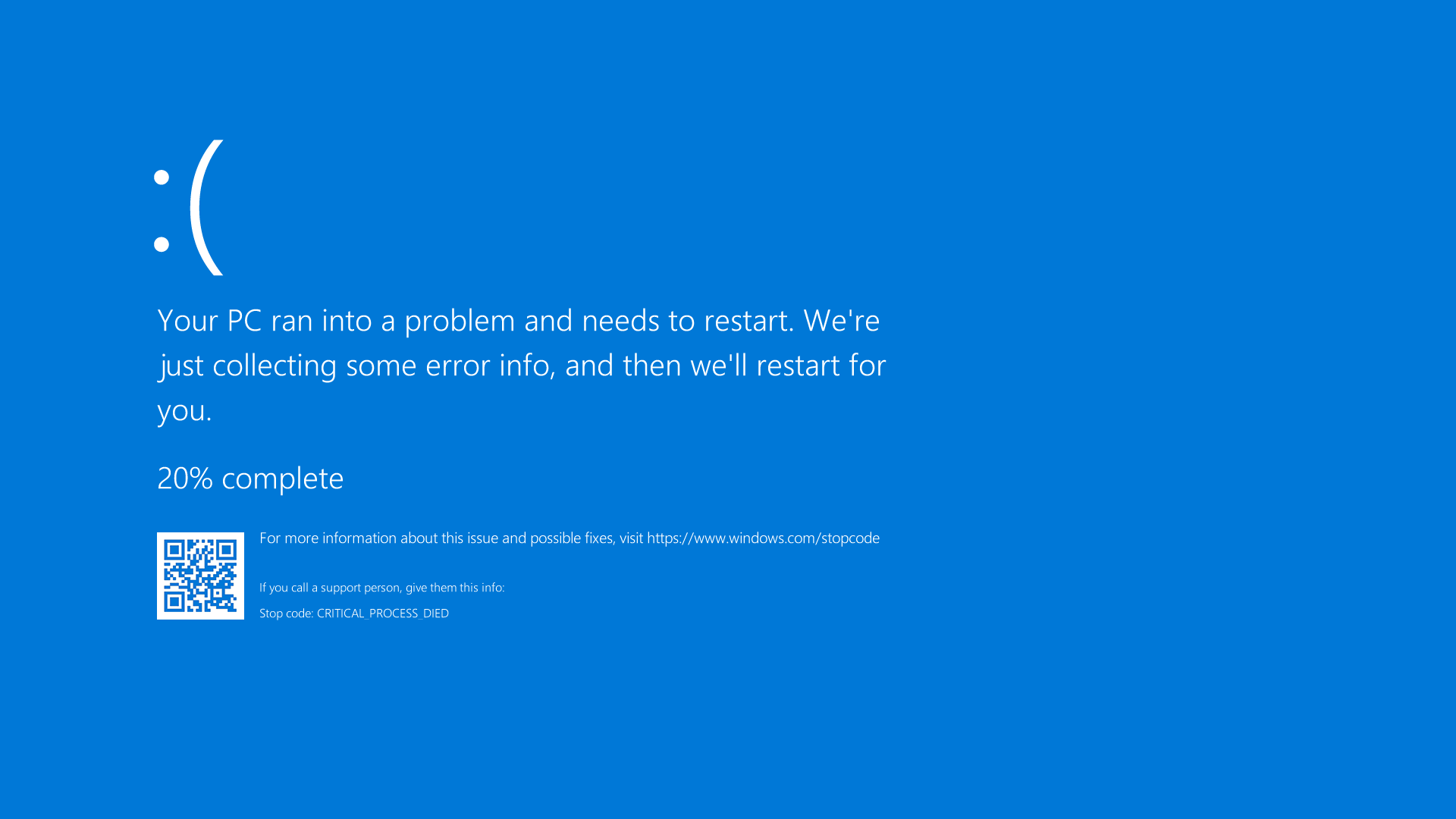
Blue Screen of Death (BSOD) on a Windows PC — boot failure diagnosed and fixed by IT Cares Montreal
We read the stop code
Driver · drive · RAM · update · system file

Startup & Blue-Screen Problems We Fix

From a dead power button to a cryptic stop code — we trace it to the real cause

Blue Screen of Death (BSOD)CRITICAL_PROCESS_DIED, MEMORY_MANAGEMENT, IRQL errors
Won't turn on at allNo lights, no fans — power supply, button, board
Boot loop / endless restartRestarts before Windows loads, repair-loop screen
Black screen after logoStuck cursor, blank desktop, no sign-in screen
Failed Windows updateStuck at a percentage, "Undoing changes" loop
"No bootable device"Drive not detected, missing boot manager, BCD error
RAM or drive failureRandom crashes, freezing, clicking or beeping
Bad driver crashBSOD after a new device or driver update
Corrupt system filesDamaged Windows files preventing startup

Common Stop Codes We Decode

The code on your blue screen tells us where to look first

CRITICAL_PROCESS_DIEDCorrupt system file or failing drive
MEMORY_MANAGEMENTFaulty RAM or memory driver conflict
PAGE_FAULT_IN_NONPAGED_AREARAM, driver or storage problem
IRQL_NOT_LESS_OR_EQUALDriver accessing the wrong memory
INACCESSIBLE_BOOT_DEVICEBoot drive or controller not readable
SYSTEM_THREAD_EXCEPTIONOften a graphics or network driver
KERNEL_SECURITY_CHECKCorrupt files, RAM or driver mismatch
WHEA_UNCORRECTABLEHardware fault — CPU, RAM or overheating

Different code? Call us — we diagnose every Windows stop error.

When Your Computer Won't Boot, Don't Panic — Call IT Cares

A computer that won't start is alarming, especially when your work, photos and documents are on it. But a no-boot or Blue Screen of Death almost never means your data is gone. In most cases the operating system is damaged — not your files — and a careful repair brings everything back. IT Cares has been recovering Montreal computers from boot failures since 2014, and the first thing we always do is protect what matters most: your data.

The Blue Screen of Death is Windows protecting itself. When something critical goes wrong — a faulty driver, a stick of RAM going bad, a failing drive, or a corrupt system file — Windows stops everything and shows a stop code rather than risk damaging your data. That code (CRITICAL_PROCESS_DIED, MEMORY_MANAGEMENT, INACCESSIBLE_BOOT_DEVICE and many others) is not random; it tells a trained technician exactly where to start looking. We read it, reproduce the fault if needed, and fix the underlying cause instead of just clearing the symptom.

Boot loops are another frequent emergency. The PC powers on, shows the manufacturer logo, then restarts before Windows finishes loading — over and over. This is often the aftermath of a botched Windows update, a corrupt boot configuration, or a driver that conflicts on startup. We boot into the Windows recovery environment, repair or roll back the offending change, rebuild the boot files if necessary, and check the health of your drive so the problem does not simply return next week.

When the machine shows no signs of life at all — no lights, no fans, no beeps — the problem is hardware. The usual suspects are the power supply, the power button or front-panel wiring, the motherboard, or occasionally something as simple as a faulty outlet or cable. This kind of fault needs hands on the machine, so we arrange a same-day on-site visit or diagnostic, identify the failed component, and give you a clear written quote before any work begins.

Many BSOD, driver and failed-update problems can be solved without you leaving the house. If your PC can still reach Windows or a recovery screen, we connect over a secure remote session — $59.99 for 30 minutes or $99.99 for 60 minutes — and repair it live while you watch. If the drive itself is failing, we shift to data recovery first, before doing anything that could put your files at risk. Either way, you get a plain-English explanation and a fix that lasts. Book on our booking page.
Boot & Blue-Screen Pricing

Free diagnostic. We protect your data first, then quote.

$59.99
remote session · 30 min
Many BSOD, driver and failed-update fixes are done remotely — $59.99 (30 min) or $99.99 (60 min). Urgent? Priority SOS is $129.99. Dead-hardware and on-site repairs are quoted after a free diagnostic.
Book Now

Available 7 days/week · 1 (888) 711-9428 · info@itcares.ca

Why Trust IT Cares With a Dead PC

Data-first repairs and real root-cause fixes

Your data comes first

We protect and, if needed, back up your files before attempting any risky repair.

We decode the stop code

The BSOD error points the way — we fix the real cause, not just the symptom.

Remote when possible

If Windows or recovery is reachable, we often fix it remotely the same day.

Trusted since 2014

Years of boot-failure rescues for Montreal clients, with honest, clear quotes.

How It Works

Three simple steps

1

Describe the symptom

Book or call. Tell us the stop code or what you see — black screen, boot loop, dead.

2

Free diagnostic

We protect your data, find the root cause, and send a clear written quote first.

3

Booting again

We repair, verify a clean startup, and confirm stability before returning your PC.

Boot-Failure Rescue Across Greater Montreal

Remote everywhere · on-site for dead hardware

Montreal
Laval
Longueuil
Brossard
Saint-Lambert
Boucherville
Châteauguay
Dollard-des-Ormeaux
Pointe-Claire
Terrebonne
Repentigny
Blainville

See all service areas →

Frequently Asked Questions

What does the Blue Screen of Death actually mean?
A BSOD is Windows shutting itself down to prevent damage after a critical error. The stop code on screen points to the cause — usually a faulty driver, failing drive or RAM, or a corrupt system file. We read that code and fix the underlying issue.
My PC won't turn on at all — no lights, no fans. Can you help?
Yes. A fully dead PC usually points to the power supply, power button or wiring, motherboard, or sometimes just an outlet or cable. This needs a hands-on look, so we arrange an on-site visit or same-day diagnostic and quote the repair before any work.
My computer is stuck in a boot loop. What now?
A boot loop is often a botched update, a corrupt system file, a failing drive, or a bad driver. We boot into recovery, repair or roll back the change, run startup repair, and check drive health. In most cases your files stay safe. See Windows support for more.
Can a blue screen problem be fixed remotely?
If the PC can still reach Windows or a recovery environment, yes — many BSOD, driver and failed-update issues are resolved over a secure remote session for $59.99 (30 min) or $99.99 (60 min). A fully dead machine needs hands-on work.
Will I lose my files if my PC won't boot?
Usually not. A no-boot or BSOD rarely destroys data — the OS is broken, not necessarily the files. We protect and back up your data before any risky repair. If the drive is failing, we move to data recovery first. Contact us.

Related Services

More ways we get you back up and running

Stuck on a Blue Screen?

Free diagnostic, data protected first — remote or on-site in Montreal, 7 days a week.