WD, Seagate, LaCie, Toshiba, G-Drive · $49 Diagnostic

External Hard Drive Recovery
Won’t Show Up, Clicking, Formatted — $49 Diag

WD My Passport not recognized, Seagate Backup Plus clicking, LaCie formatted by accident, Toshiba Canvio dropped — IT Cares recovers data from every external hard drive. No-data-no-pay guarantee. $349 logical to $1,499 complex. Montreal workshop + mail-in Canada-wide.

No-data-no-pay $49 diagnostic All brands 7 days/week
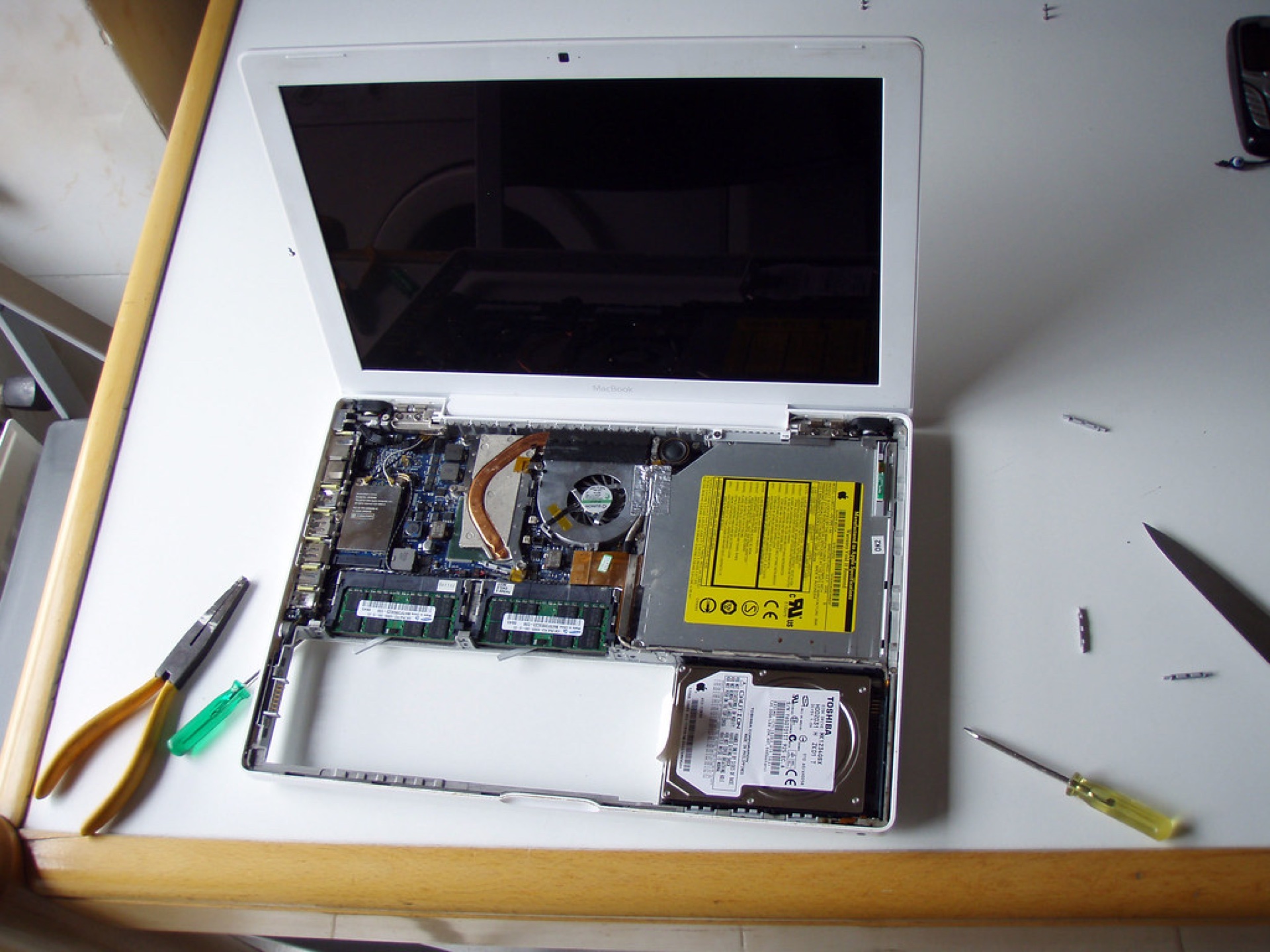
IT Cares external hard drive data recovery inspection Montreal workshop
$49
3–5 business days
Standard Diagnostic
Book Now
POPULAR
$99.99
Express <24h
Priority Diagnostic
Book Now
Quick Answer

IT Cares recovers data from all external hard drives in Montreal and across Canada. WD My Passport, Seagate Backup Plus, LaCie, Toshiba Canvio, G-Technology, Samsung, Silicon Power. Diagnostic is $49. Logical recovery (not detected, formatted, corrupted partition) is $349. Mechanical failure (clicking, PCB, firmware) is $799. Complex (head crash, platter damage) is $1,499. No-data-no-pay guarantee. Call 1 (888) 711-9428 or visit Rue Richmond, Montreal QC H3J 0C4.

Stop connecting the drive if it’s clicking or making unusual noises

A clicking, grinding, or scraping external hard drive has a mechanical failure. Every time you reconnect it and it spins up, the damaged read heads risk scoring the magnetic platters — which can make data permanently unrecoverable. Power it off, put it in a safe bag, and call IT Cares at 1 (888) 711-9428 before doing anything else.

External Drive Brands We Recover

All consumer and professional external hard drives

WD My Passport1TB, 2TB, 4TB, 5TB
WD My BookDesktop 3.5″ external
WD ElementsUSB 3.0 portable
Seagate Backup PlusSlim, Ultra, Hub
Seagate ExpansionPortable + Desktop
LaCie Porsche DesignRugged, d2, 2big
Toshiba CanvioAdvance, Basics, Flex
G-Technology G-DriveMobile, Desktop, Pro
Samsung T5 / T7External SSD (same process)
SanDisk ExtremeExternal SSD, portable HDD
Buffalo MiniStationThunderbolt, USB
Silicon PowerStream, Armor portable

Common External Drive Failure Scenarios

Drive Not Recognized

Windows or Mac shows nothing when the drive is plugged in, or only shows as "Disk Management" without a drive letter. Can be a USB bridge failure, filesystem corruption, or internal drive failure.

Usually $349 logical

Clicking or Grinding

Repetitive clicking or grinding noise from the drive. Classic read-head failure. Power off immediately. Do NOT reconnect. This is a mechanical failure requiring specialized recovery.

$799 mechanical

Accidentally Formatted

Drive was formatted either intentionally or when connecting to a new device that asked to initialize it. Data is still physically present until overwritten. Stop using the drive immediately.

$349 logical

Dropped External Drive

Impact can displace the read heads or damage the actuator arm. If the drive spins and sounds normal, recovery is often possible. If it makes new noises after the drop, it’s mechanical.

$349–$799 depending

Water Damage

External drives exposed to water, spilled coffee, flooding. Do NOT power on. Bring as-is. The internal drive can often be recovered if the enclosure absorbed most of the liquid.

$799–$1,499

Drive Shows RAW

Windows Disk Management shows the drive as RAW or unallocated. The partition table or filesystem is corrupted but the data blocks are typically intact. File system reconstruction recovers most data.

$349 logical

All External Drive Failure Types

Drive not detected / not showing up
Clicking / click of death
Accidental format
Corrupted partition table
Dropped / physical impact
Water / liquid damage
USB bridge chip failure
Power surge on USB
Unsafe ejection corruption
Shows RAW / unformatted
Bad sectors / slow drive
Virus / malware corruption
PCB / electronics failure
Ransomware encryption
Fire / heat / smoke damage
Head crash

External Drive Recovery Pricing

Tier Price (CAD) What It Covers Timeline
Diagnostic $49 Complete assessment, failure type, recovery probability, firm quote 24–48h
Logical Recovery $349 Not detected (logical), format, RAW/unallocated, partition corruption, bad sectors 24–72h
Complex Case $1,499 Head crash, platter damage, severe water damage, multi-failure scenario 10–21 days

No-data-no-pay: if we recover nothing, you only pay the $49 diagnostic. Payment: Visa, Mastercard, Apple Pay, Interac, Stripe.

The Recovery Process — 5 Steps

1

Stop Connecting It

Unplug the drive. Do not reconnect. Each spin-up on a mechanically failing drive risks platter damage.

2

Call IT Cares

1 (888) 711-9428. Describe what’s happening — not detected, clicking, formatted, dropped.

3

$49 Diagnostic

Drop off at Rue Richmond, Montreal H3J 0C4 or use our national mail-in service.

4

Approve Fixed Quote

$349, $799, or $1,499 in writing. No work starts without your go-ahead.

5

Receive Data

Files on a new drive or secure cloud. You verify every file before paying the recovery fee.

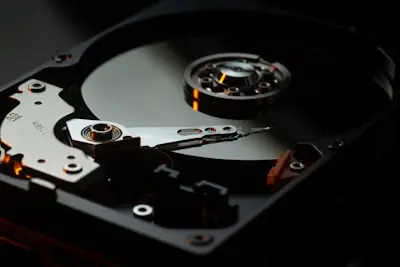
IT Cares external hard drive open for data recovery inspection Montreal

Frequently Asked Questions — External Hard Drive Recovery

What does data recovery cost?
External hard drive diagnostic is $49. Logical recovery (not detected logically, accidental format, RAW partition, USB corruption on a mechanically healthy drive) is $349. Mechanical failure recovery (clicking, PCB, firmware) is $799. Complex cases (head crash, platter damage, severe water damage) are $1,499. No-data-no-pay: if we recover nothing, you only pay the $49 diagnostic.
Is it possible to recover data from an external hard drive?
Yes — external hard drive recovery is one of our most common and most successful recovery scenarios. Whether your WD My Passport, Seagate Backup Plus, LaCie, or Toshiba drive stopped being recognized, was accidentally formatted, was dropped, or was corrupted after unsafe ejection — we can recover it. Success rate for logical external drive failures exceeds 95%. Mechanical failures have a ~79% success rate.
How to recover data from an external hard drive that won’t boot?
Step 1: Stop connecting it — each attempt risks further damage. Step 2: Call 1 (888) 711-9428. Step 3: Bring to Rue Richmond, Montreal H3J 0C4. Step 4: $49 diagnostic classifies the failure (logical vs. mechanical). Step 5: Recovery and delivery with your approval. Do not run chkdsk, diskpart, or any software on a mechanically failing drive.
My external drive is clicking — is recovery possible?
Yes, in most cases — but immediate action is critical. Power off the drive right now. The clicking sound means the read heads are damaged and resetting. Each reconnection risks scoring the magnetic platters. Do not run chkdsk, do not try to copy files. Call IT Cares at 1 (888) 711-9428. Our success rate on clicking external drives is approximately 79% when they reach us before further damage.
My WD My Passport is not recognized by Windows — what should I do?
Try plugging it into a different USB port and a different cable first — many “not detected” cases are just a faulty USB cable or port. Open Disk Management (Win+X) to see if the drive appears without a drive letter. If none of this works, bring it to us for the $49 diagnostic. WD My Passport drives specifically have a USB bridge chip that can fail independently of the HDD inside — this is often a $349 logical case.
Can I recover data for free from an external drive?
If the drive is detected and only files were accidentally deleted, free tools like Recuva (Windows) may recover them — but only if you’ve stopped writing new data immediately. For drives showing as RAW, 0 bytes, or making unusual noises, professional recovery is necessary. Our $49 diagnostic tells you exactly what’s possible before you commit to anything.
My external drive fell on the floor and makes a noise — can you recover it?
Yes — but do NOT reconnect it. Bring it to us as-is. A dropped external drive may have displaced the read heads (causing clicking) or damaged the actuator arm. The recovery tier depends on the severity of the damage — the $49 diagnostic assesses whether it’s a $799 mechanical or $1,499 complex case. Acting quickly (before trying to power it on repeatedly) is the single most important factor.
Where can I get external drive data recovered in Montreal?
IT Cares is at Rue Richmond, Montreal QC H3J 0C4. Open 7 days a week (Mon–Fri 9am–6pm, Sat–Sun 10am–5pm). Call 1 (888) 711-9428 or book at itcares.ca/en/book.html. We also accept secure mail-in from all Canadian provinces with prepaid, insured shipping instructions.
How long does external hard drive recovery take?
Logical recovery (format, partition, USB bridge): 24–72 hours. Mechanical failure (head replacement, PCB repair): 5–14 business days. Head crash or complex cases: 10–21 business days. Express <24h diagnostic available for $99.99. We provide a precise timeline estimate during the $49 diagnostic.
What is the difference between logical and mechanical failure on an external drive?
Logical failure: the drive spins up normally, the internal HDD is mechanically healthy, but the file system, partition table, or USB bridge chip has a problem. Signs: drive detected in Disk Management but with no drive letter, shows as RAW, or shows wrong size. Typically $349 to fix. Mechanical failure: the internal HDD has physical damage. Signs: clicking, grinding, not detected at all, burned smell. Requires more complex recovery ($799+). The $49 diagnostic determines which category your drive falls into.
Related Services

External Drive Not Working? We Recover It.

$49 diagnostic — fixed quotes — no-data-no-pay. WD, Seagate, LaCie, Toshiba — all brands.

Rue Richmond, Montreal QC H3J 0C4 • info@itcares.ca • 7 days/week • Mail-in Canada-wide